
Audit and Collaboration
Stib combines live coordination on cards with durable access and audit records. Comments and conversations explain the work; the audit log explains who changed important system state.
Comments, messages, and mentions
- Use the agent conversation for instructions that should reach the running agent.
- Use card comments for human discussion and review notes that should not be interpreted as agent input.
- Use mentions to draw another member's attention where the composer supports them.
- Attach files to the appropriate card or message instead of sharing an unrelated local path.
- Send credentials only through the masked secret action, never in a comment.
Pending agent messages are stored server-side for the card. Refreshing the client does not create a second independent queue.
Groups and ownership
Groups create lanes inside a column. Labels, assignees, reviewers, and saved views provide additional organization without moving a card to another project. Which fields are available depends on board, role, and licence configuration.
Project sharing gives direct roles; organization administration provides inherited access. See Projects & Organizations.
Audit log
Open the project audit page from project navigation, or the organization Audit section for organization-wide events.
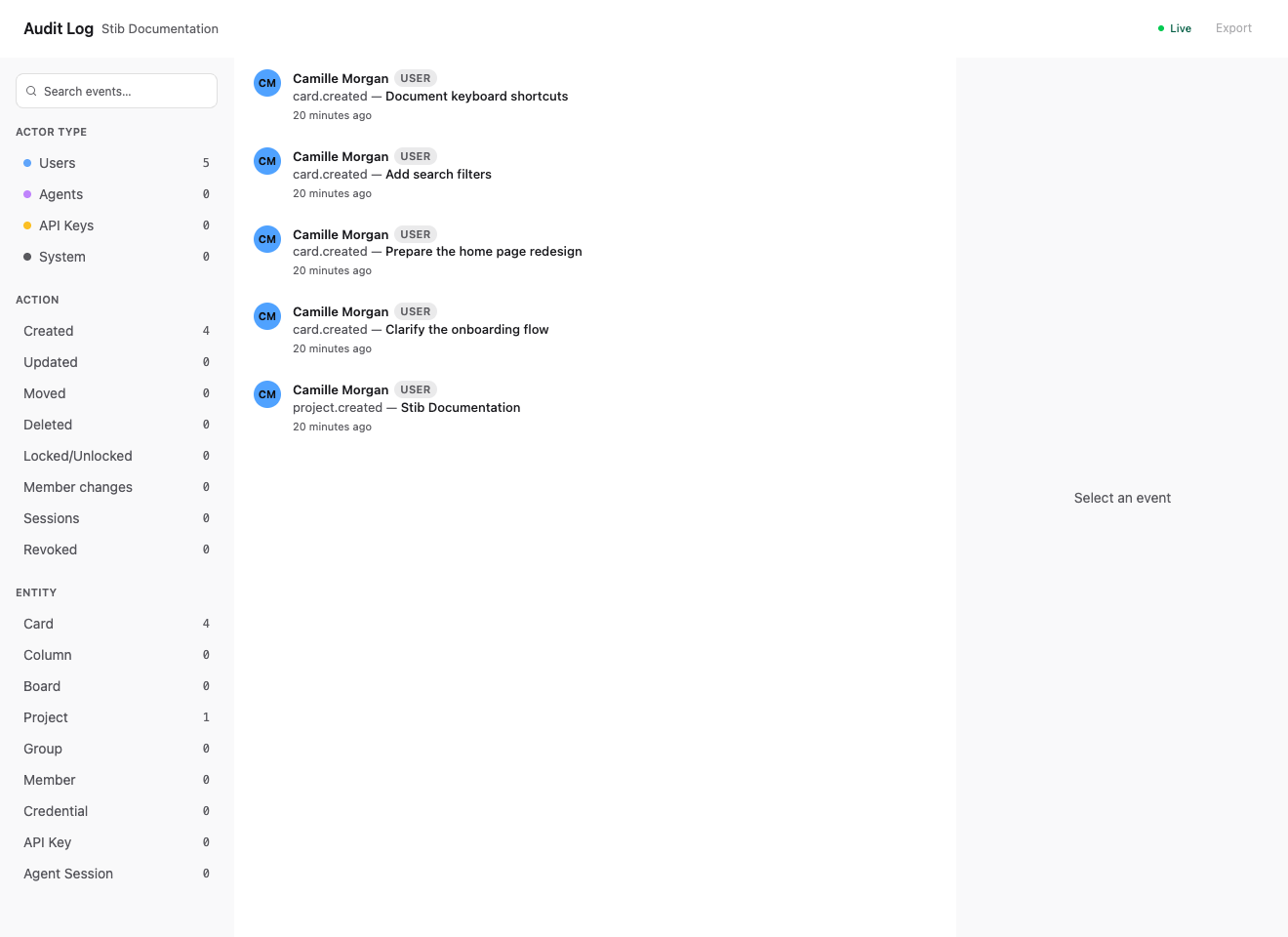
Audit records can be filtered by text, period (today, the last 7 or 30 days, or a custom range), person, actor type, action, and entity. The list is grouped by day, and each event shows its time. Selecting an event opens its detail; when the event concerns a card, Open card takes you to it on its board. Typical entities include cards, columns, boards, projects, groups, members, credentials, API keys, agent sessions, scripts, monitors, and callback tokens.
The Person filter covers what someone did directly, in the app or through their API keys. The agents they launched are filtered separately, under the Agents actor type.
Events are kept for the organization's retention period — 30 days by default — which the log header shows. Organization administrators change it in the organization's Audit settings. Individual events cannot be deleted by hand: a log anyone could prune would no longer prove anything.
The audit log is not a replay of every token or terminal byte. It records important product actions with actor and metadata. Conversation and Git history remain the better source for the content of an agent run.
Audit webhooks and export
Organization settings can send audit events to a webhook with configured headers. Use a scoped receiver, HTTPS, signature/secret validation, and a retention policy. Test the webhook after any proxy or encryption-key change.
Export CSV in the log header downloads every event matching the current filters, not only the ones loaded on screen.
Exports and external log sinks serve different purposes: audit export is about product actions; server log export is operational diagnostics.
Incident review
For an unexpected change, correlate:
- audit actor/action/entity and timestamp;
- card history and human comments;
- agent session messages and tool activity;
- Git diff and commit history;
- server logs and integration sync errors.
Avoid attributing a filesystem change solely from an audit card event when a script, terminal session, or external process could also edit the repository.
Next: Agents, Git Integration, and Authentication.